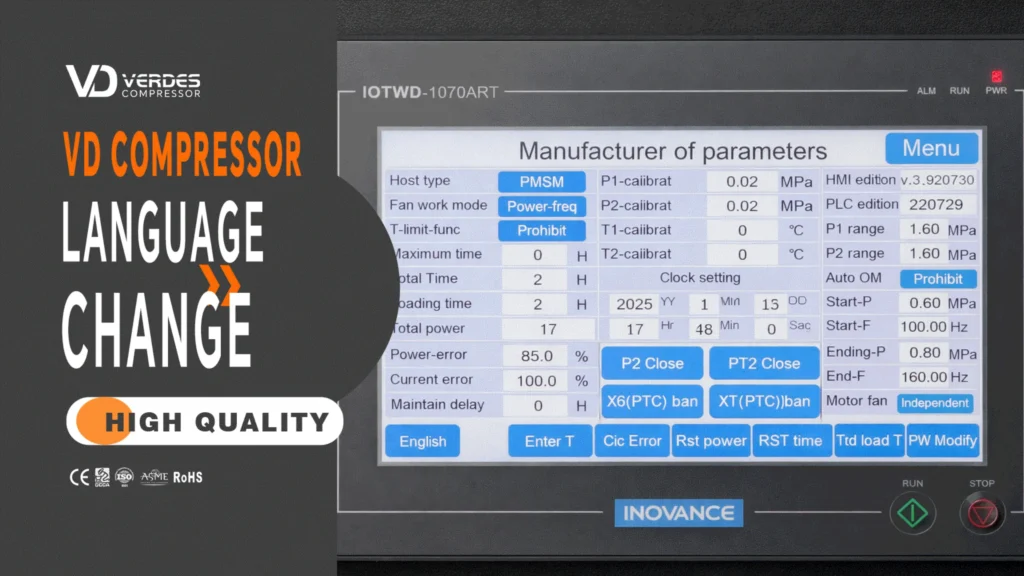
Changing the language on your air compressor controller can be confusing, especially when the interface is not in your native language.
In this guide, we’ll show you how to quickly switch the language on the controller step by step. You can also follow the video tutorial below for a clearer demonstration.
Watch the step-by-step video tutorial below:
Step 1: Click the menu button
Step 2: Click on manufacturer parameters
Step 3: Confirm after entering the password
Step 4: Click the language button in the bottom left corner to adjust to the corresponding language
Step 5: Click the menu button to return
Q: Why can’t I find the language option?
A: It may vary depending on the controller model.
Q: Does changing language affect machine performance?
A: No, it only changes the interface language.
Need help with your air compressor or controller settings?
Contact us today for professional support or customized solutions.